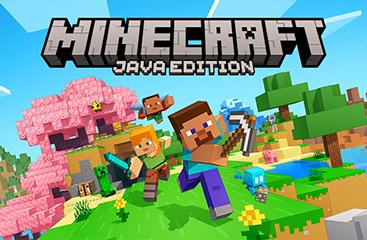
MInecraft Java Edition
Activation
Activation Status
Can be activated in United States
Platform
License Type
Product Region
Delivery
Security
Product Summary
$29.65
Safe Checkout Guaranteed
Your payment is protected with secure checkout and trusted payment methods.
Select Region
Choose the correct region before purchase. Codes may be region-specific.
GlobalUSD $9.60
USD $19.19
USD $26.90
USD $29.65
Product Description
Some games define a generation, and Minecraft Java Edition is one of them. Since its original release, this version of Minecraft has remained the definitive PC experience — the one with the longest history, the most active modding community, and the deepest creative freedom. When you buy Minecraft Java Edition through Gamerseshop, you receive a digital game code that unlocks the full game on your PC, Mac, or Linux machine via the official Mojang launcher.
Players who want to Buy Minecraft Java Edition Gift Card online will find this listing straightforward: one code, one activation, and the entire Java Edition experience unlocked. Whether you want to Buy Minecraft Java Edition Gift Card for yourself or as a gift, the process takes only a few minutes from checkout to gameplay.
Minecraft Java Edition is developed and published by Mojang Studios, now part of Microsoft. It runs exclusively on desktop platforms — Windows, macOS, and Linux — and gives players access to the original survival and creative modes, as well as the full Java-exclusive feature set. Unlike the Bedrock edition, Java Edition supports cross-play only with other Java players, but it opens the door to thousands of community-made mods, custom texture packs, and dedicated multiplayer servers that have been running for over a decade.
The real-life uses for this code are broad. A student who wants to unwind after class can jump into a survival world and spend hours mining, crafting, and building. A content creator can install popular mod packs and record gameplay for their audience. A parent can gift this code to a child who has been asking for Minecraft on PC, knowing the Java Edition gives access to the richest version of the game. Friends can set up a private server together and collaborate on massive construction projects — something Java Edition has supported since its earliest days.
Gamerseshop provides instant digital delivery for every Minecraft Java Edition order. Once your payment is confirmed, your code is delivered to your account or email — no waiting, no shipping address required, and no hidden fees added at the final step. The checkout process is designed to be clear and direct, so what you see at the product page is exactly what you pay.
Every code listed on Gamerseshop is sourced from authorized distributors and goes through a verification process before it is made available for purchase. If a delivered code does not activate correctly, the support team reviews the order and works to resolve it within 24 hours. Buyers can contact support directly through the site, and every case is handled individually — not through an automated rejection system.
Demand for Minecraft Java Edition remains consistently high, particularly around major game updates and school holiday periods. Place your order now and receive your code within seconds of payment confirmation.
Why Choose Gamerseshop
Gamerseshop is built for players who want a straightforward, reliable way to buy digital game codes without the friction of traditional retail. The platform focuses on fast delivery, transparent pricing, and real support — making it a practical choice for both first-time buyers and returning customers who know what they need.
Instant Code Delivery
Once payment is confirmed, your Minecraft Java Edition code is delivered automatically to your account. The system processes orders in real time, so there is no manual delay between purchase and delivery — most buyers receive their code within seconds.
Secure Payment Process
All transactions on this platform are processed through encrypted payment gateways. Your financial details are never stored on the site, and every checkout session uses industry-standard security protocols to protect your information from start to finish.
No Hidden Fees at Checkout
The price shown on the product page is the price you pay. There are no service charges, processing fees, or surprise additions added at the final step. Transparent pricing means you can budget accurately before you click confirm.
Fast Order Processing
Digital orders are processed immediately after payment verification. There is no queue, no manual review for standard purchases, and no business-hours restriction — orders go through at any time of day or night.
Best Price on Minecraft Java Edition
The platform maintains competitive pricing by working directly with authorized supply channels. Offering the best price on Minecraft Java Edition means buyers do not need to compare across multiple storefronts to feel confident they are getting fair value.
Smooth and Simple Checkout
The checkout flow is designed to take as few steps as possible. Select your product, choose your payment method, confirm the order, and receive your code. There are no mandatory account registrations or lengthy forms standing between you and your purchase.
Verified and Accurate Code Delivery
Every code goes through a verification step before it is dispatched. This means the code you receive has been confirmed as unused and valid — reducing the chance of activation errors that can occur with unverified third-party sources.
Buyer Support When It Matters
If something goes wrong — a code that does not activate, a delivery that does not arrive — the support team is reachable and responds to cases individually. There is a clear process for reporting issues, and resolutions are handled within a defined timeframe rather than left open-ended.
Transparent Sourcing
Codes sold here come from authorized distribution channels, not grey-market resellers. This sourcing approach is what allows the platform to stand behind every code it sells and offer genuine support when a buyer encounters a problem.
Benefits
- Minecraft Java Edition runs on Windows, macOS, and Linux, making it one of the most platform-flexible versions of the game available on PC.
- The digital code format means you can activate your game immediately without waiting for a physical disc or box to arrive.
- Java Edition gives you access to thousands of community-made mods, expanding the game far beyond its default content.
- Custom texture packs and resource packs are fully supported, allowing you to change the visual style of the game to suit your preference.
- The code makes an excellent gift for any Minecraft fan who plays on PC, as it covers the full game with no additional purchase required.
- Java Edition includes access to dedicated multiplayer servers, many of which have been running active communities for years.
- Purchasing a digital code means no credit card details are tied to a recurring subscription — it is a one-time payment for permanent access.
- The game receives regular updates from Mojang Studios, so your purchase continues to grow in content over time at no extra cost.
- Java Edition supports cross-platform play with other Java players across Windows, Mac, and Linux in the same multiplayer session.
Terms And Conditions
- This is a digital product. No physical card or disc will be shipped to you under any circumstances.
- Minecraft Java Edition codes are intended for PC use on Windows, macOS, or Linux via the official Mojang launcher linked to a Microsoft account.
- Once the code has been revealed and delivered, refunds are not available. Digital goods are non-refundable after the code is disclosed, in line with standard digital product policy.
- This code cannot be exchanged for cash, store credit, or any other form of monetary value.
- The buyer is responsible for ensuring their Mojang or Microsoft account is compatible with the code and set to the correct region before activation.
- The buyer is solely responsible for entering the code correctly. Errors caused by incorrect entry are not covered under any replacement guarantee unless the code itself is confirmed to be invalid.
- Minecraft Java Edition codes do not carry a published expiry date, but buyers should activate their code in a reasonable timeframe to avoid any unforeseen platform policy changes.
- Resale of this code is not permitted. The code is intended for personal use or gifting to a single recipient only.
- This summary is for informational purposes only and does not constitute legal advice. Buyers should refer to the official Mojang terms of service for full terms.
How to Redeem
Minecraft Java Edition is easy to use — follow these steps to activate your code and get into the game within minutes.
- Complete your purchase on Gamerseshop and retrieve your Minecraft Java Edition digital code from your order confirmation or account dashboard.
- Visit the official Minecraft redemption page at https://www.minecraft.net/en-us/redeem on your PC, Mac, or Linux machine.
- Sign in to your Microsoft account. If you do not have one, create a free account before proceeding.
- Enter your Minecraft Java Edition code exactly as shown in your delivery confirmation. Take care with characters that look similar, such as the letter O and the number 0.
- Click the redeem or confirm button. The game will be added to your account immediately.
- Download and install the official Minecraft Launcher from https://www.minecraft.net/en-us/download if you have not already done so.
- Open the launcher, log in with your Microsoft account, select Minecraft Java Edition from your game library, and click Play.
Note: Ensure your Microsoft account region matches the intended region for the code before activation. If you experience any issues during redemption, contact Gamerseshop support with your order ID for assistance.
Frequently Asked Questions about MInecraft Java Edition Global
Have a question about Minecraft Java Edition before you buy? The answers below cover the most common topics from delivery and activation to gifting and support.
Where can I buy Minecraft Java Edition?
You can buy Minecraft Java Edition directly from Gamerseshop. Add the product to your cart, complete checkout, and your digital game code is delivered to your account automatically — no physical store visit or shipping address needed. The entire process takes only a few minutes.
Is this game code safe and legit?
Yes. Every code on this platform is sourced from authorized distributors and verified before delivery. Orders placed here go through an encrypted checkout, and if a code does not activate correctly, the support team reviews the case and works toward a resolution within 24 hours.
Can I buy Minecraft Java Edition using PayPal?
Yes, you can purchase Minecraft Java Edition using PayPal. At checkout, select PayPal as your payment method and complete the transaction through the secure PayPal flow. The store processes your order immediately after payment confirmation and delivers your code without delay.
Does the Minecraft Java Edition code expire?
Minecraft Java Edition digital codes do not have a published expiry date. Once you receive your code, you can activate it at your convenience without a strict time limit.
Can I use this code outside the standard region?
Minecraft Java Edition codes are generally global, but it is always best to confirm your Mojang account region matches the code's intended market before activating to avoid any compatibility issues.
How long does delivery take?
Delivery is automatic and typically completes within seconds of payment confirmation. You do not need to wait for manual processing or business hours.
Can I send this as a gift to someone else?
Yes. Because the product is a digital code, you can purchase it and then share the code directly with the recipient via message or email. The person receiving it simply activates the code on their own Mojang account. It is a practical gifting option for birthdays, holidays, or any occasion.
What happens if my code does not work?
Contact the support team through the site as soon as possible. Provide your order details and a description of the error you received. Support reviews each case individually and works to resolve activation issues — either by confirming the code or escalating the matter with the supply source.
Can I use multiple gift cards or codes together?
Minecraft Java Edition is a one-time purchase, so a single code covers the full game. There is no in-game currency system in Java Edition that would require stacking multiple codes. If you are purchasing for multiple people, each person needs their own separate code.
Will this work on my existing Mojang or Microsoft account?
Yes. Minecraft Java Edition activates through the official Mojang launcher linked to your Microsoft account. If you already have a Microsoft account, you can redeem the code directly without creating a new one. Ensure your account is set to the correct region before activation.
What content can I access with Minecraft Java Edition?
Minecraft Java Edition includes the full survival and creative modes, access to community multiplayer servers, mod support, custom resource packs, and all official Java-exclusive features. Major game updates — such as new biomes, mobs, and mechanics — are included at no additional cost after purchase.
Is there a discount available for bulk purchases?
Bulk pricing is not listed publicly, but buyers looking for cheap Minecraft Java Edition codes in larger quantities can reach out to the support team to ask about bulk order options. Discount availability depends on current stock levels and may vary by order size.
What should I do if I entered the code incorrectly?
Double-check the code against your delivery confirmation, paying close attention to characters that look similar — such as O and 0, or I and 1. If the code still does not work after a careful re-entry, contact support with your order ID so the team can investigate and assist.
Does Minecraft Java Edition include Bedrock Edition?
Minecraft Java Edition and Bedrock Edition are separate products. This listing covers Java Edition only. If you need Bedrock Edition for console or mobile cross-play, that requires a separate purchase. Some bundles exist that include both, but this code is for Java Edition exclusively.
What are the minimum system requirements for Minecraft Java Edition?
Minecraft Java Edition requires a 64-bit operating system — Windows, macOS, or Linux — with at least 4 GB of RAM recommended and a GPU that supports OpenGL 4.4. A stable internet connection is needed for the initial download and for multiplayer. Full requirements are listed on the official Mojang website.
Reviews
Overall item rating
0 reviews
0 out of 0 (100%) reviewers recommend this item
Rating
Select a row to filter reviews
Click on a rating bar to filter reviews by that rating
You May Also Like
Best picks gamers are buying right now