
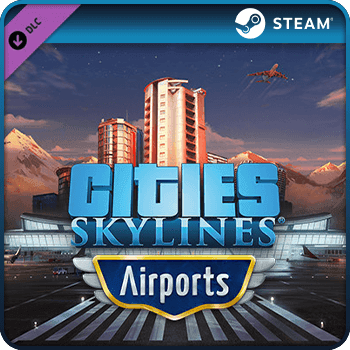

Cities Skylines Airports PC DLC Steam Game Key Global
Activation
Activation Status
Can be activated in United States
Platform
License Type
Product Region
Delivery
Security
Product Summary
$11.34
Safe Checkout Guaranteed
Your payment is protected with secure checkout and trusted payment methods.
Select Region
Choose the correct region before purchase. Codes may be region-specific.
 Cities Skylines
USD $5.78
USD $6.12
USD $6.52
USD $7.51
USD $7.62
USD $7.91
USD $7.92
USD $8.19
Product Description
City builders who want to push their urban planning to the next level eventually hit the same wall — the base game simply does not include the kind of airport infrastructure that a thriving metropolis demands. The Cities Skylines Airports PC DLC Steam Game Key Global solves that problem by unlocking a dedicated airport expansion that lets players design, build, and manage fully functional airports within their cities. From terminal layouts to runway configurations, this DLC adds a layer of depth that transforms how traffic, tourism, and commerce flow through your city.
When you buy Cities Skylines Airports PC DLC Steam Game Key Global, you are investing in one of the most content-rich expansions available for the Cities Skylines franchise. Whether you want to buy Cities Skylines Airports PC DLC Steam Game Key Global as a gift for a fellow city-builder or add it to your own Steam library, the process is straightforward and the value is immediately apparent once you load into the game.
Cities Skylines is developed by Colossal Order and published by Paradox Interactive, and the Airports DLC is a first-party expansion that integrates seamlessly with the base game on Steam. The key you receive is a standard Steam activation code that works with the global version of the game, meaning it is compatible with Steam accounts regardless of geographic location. Once redeemed, the DLC is permanently tied to your Steam account and accessible whenever you launch Cities Skylines.
The practical uses for this DLC are varied. A player building a coastal tourism city can construct an international airport to drive visitor numbers and unlock new economic mechanics. A player focused on realistic urban simulation can use the airport zoning tools to create dedicated aerotropolis districts. For someone who wants to gift a Cities Skylines fan something genuinely useful, this DLC is a specific, well-regarded expansion rather than a generic purchase — it signals that the giver knows exactly what the recipient plays.
Instant digital delivery means your Steam key is available within moments of your order being confirmed, with no waiting period and no physical shipping involved. The checkout process on Gamerseshop is designed to be straightforward, and there are no hidden fees added at the final step — the price shown is the price you pay. Orders are processed automatically, so there is no manual delay between purchase and code availability.
Every code listed on Gamerseshop is sourced from authorized distribution channels and verified for validity before being made available to buyers. The ordering system cross-checks each transaction to ensure the correct product is delivered to the correct account. If a code does not activate as expected, the support team reviews the order and works to resolve the issue promptly, ensuring buyers receive exactly what they paid for.
This denomination is one of the most popular Cities Skylines expansions on the platform, and stock is replenished regularly to meet demand. Complete your order today and start building the airport your city deserves.
Why Choose Gamerseshop
Gamerseshop is a dedicated digital games marketplace built for players who want reliable access to PC game keys without unnecessary friction. The platform focuses on verified codes, transparent pricing, and a checkout process that gets you into your game as quickly as possible. Every listing is maintained to reflect accurate availability, and the support structure is designed to handle any post-purchase questions efficiently.
Instant Code Delivery After Purchase
Once your payment is confirmed, the system automatically processes your order and delivers your Steam key without manual intervention. This means there is no queue, no waiting for a staff member to send your code — it arrives in your account within moments of checkout completion.
Secure Payment Processing
The checkout on this store uses encrypted payment handling to protect your financial details at every step. No payment information is stored after the transaction is complete, and the process follows standard security protocols used across reputable digital storefronts.
No Hidden Fees at Checkout
The price displayed on the product page is the final price. There are no service charges, processing fees, or currency conversion surprises added during checkout. What you see when you add the item to your cart is exactly what you pay.
Fast Processing for Digital Orders
Digital product orders are handled by an automated system that prioritizes speed. From the moment payment clears, the delivery pipeline runs without delay, making the time between purchase and redemption as short as technically possible.
Best Price on Global Steam Keys
The platform maintains competitive pricing on global Steam keys by working with authorized distributors and monitoring market rates. This approach ensures that the best price available reflects genuine value rather than artificially inflated discounts followed by hidden costs.
Smooth and Simple Checkout Flow
The purchase process here involves selecting the product, completing payment, and receiving your code — three steps with no account creation barriers or complicated verification hoops. The interface is designed to minimize the time between deciding to buy and having your key in hand.
Verified and Accurate Code Delivery
Each code in the inventory is checked against product specifications before being listed. The system matches the correct regional and platform version to each order, so the key you receive corresponds precisely to the product you selected.
Buyer Support for Post-Purchase Issues
If something goes wrong after purchase — a code that does not activate, a delivery that did not arrive — the support team is available to investigate and resolve the issue. Response times are kept short, and the resolution process is focused on getting the buyer a working code.
Transparent Sourcing from Authorized Distributors
Keys sold through this store come from authorized distribution channels, not grey-market resellers. This sourcing approach reduces the risk of invalid or region-locked codes and gives buyers confidence that the product they receive is legitimate and activatable on Steam.
Benefits
- The Cities Skylines Airports DLC unlocks a full airport construction and management system that integrates directly with your existing city layout on Steam.
- The global Steam key is compatible with Steam accounts worldwide, removing regional restrictions that affect some other DLC editions.
- Purchasing a digital key means there is no physical media to wait for — your expansion is available to download immediately after redemption.
- The DLC is permanently linked to your Steam account once redeemed, so you never need to re-purchase it for future playthroughs.
- Airport mechanics introduce new traffic, tourism, and economic systems that add meaningful depth to long-term city management gameplay.
- The key makes an ideal gift for Cities Skylines players who already own the base game and are looking for their next expansion.
- No credit card linked to a Steam wallet is required — purchasing a key separately gives you full spending flexibility.
- The DLC is compatible with other Cities Skylines expansions, allowing it to be layered with existing content for a richer simulation experience.
- Redemption takes only a few steps through the Steam client, making the process accessible even for players new to buying DLC keys online.
Terms And Conditions
- This is a global Steam key — it is intended for use with Steam accounts and requires an active Steam installation to redeem.
- The Cities Skylines base game must already be owned on the same Steam account for this DLC key to function.
- Delivery is digital only — no physical card, box, or media will be shipped to any address.
- Once the code has been revealed or delivered, refunds cannot be issued, as is standard for digital game key products.
- This key cannot be exchanged for cash or store credit under any circumstances.
- The buyer is responsible for entering the activation code correctly in the Steam client. Errors caused by incorrect entry are not covered under replacement policy unless the code itself is confirmed invalid.
- Steam keys do not carry an expiry date and can be redeemed at any time after purchase.
- Resale or redistribution of this key after purchase is not permitted and may result in the key being deactivated by the publisher.
- This summary is for informational purposes only and does not constitute legal advice. Buyers should refer to the official Paradox Interactive and Steam terms of service for full terms.
How to Redeem
The Cities Skylines Airports PC DLC Steam Game Key Global is easy to use — follow these steps to activate your expansion and start building within minutes.
- Open the Steam client on your PC and log into the account where Cities Skylines is installed.
- Click on the Games menu in the top navigation bar and select Activate a Product on Steam.
- Read and agree to the Steam Subscriber Agreement, then click Next.
- Enter your Cities Skylines Airports DLC Steam key exactly as provided, including all dashes, and click Next.
- Steam will confirm the product name. Click Finish to complete activation.
- The DLC will appear in your Steam library and begin downloading automatically if Cities Skylines is already installed.
- Launch Cities Skylines — the Airports content will be available in your next city session.
For additional help with Steam key activation, visit the official Steam support page at https://store.steampowered.com/account/registerkey.
Note: Ensure your Steam account region matches the intended use region. As a global key, this product is designed to work across all Steam regions, but verifying your account settings before redemption is always recommended.
Frequently Asked Questions about Cities Skylines Airports PC DLC Steam Game Key Global
Find answers to the most common questions about purchasing and redeeming the Cities Skylines Airports PC DLC Steam Game Key Global below.
Where can I buy a Cities Skylines Airports PC DLC Steam Game Key Global?
You can buy the Cities Skylines Airports PC DLC Steam Game Key Global directly from Gamerseshop. Add the product to your cart, complete checkout, and your Steam key is delivered digitally to your account — no physical store visit or shipping address required. The entire process takes only a few minutes.
Is this gift card safe and legit?
Yes, every code on this platform is sourced from authorized distributors and verified before being listed. Orders placed here are processed through encrypted payment systems, and if any activation issue arises, the support team investigates and resolves it promptly. The key you receive is a legitimate Steam activation code.
Can I buy Cities Skylines Airports PC DLC Steam Game Key Global with PayPal?
Yes, you can purchase Cities Skylines Airports PC DLC Steam Game Key Global using PayPal. At checkout, select PayPal as your payment method, log into your PayPal account, and confirm the transaction. The store processes the payment securely and delivers your Steam key immediately after confirmation — no additional steps required.
Does the Cities Skylines Airports PC DLC Steam Game Key Global expire?
No, Steam game keys do not expire. Once you receive your key, you can redeem it on Steam at any time without worrying about an expiry date.
Can I use this key outside my region?
This is a global Steam key, meaning it is designed to work with Steam accounts regardless of geographic location. Regional restrictions that apply to some other editions do not apply here.
How long does delivery take?
Delivery is instant. Your Steam key is sent automatically once payment is confirmed, typically within seconds of checkout completion.
Can I send this as a gift to someone else?
Yes. After purchasing, you receive a Steam key that you can share with anyone who owns Cities Skylines on Steam. Simply pass the code along via message or email, and the recipient can redeem it directly in their Steam client. It is a practical and specific gift for any Cities Skylines player.
What happens if my code does not work?
If your code does not activate correctly, contact the support team with your order details. The team will review the transaction, verify the code status, and either provide a replacement or resolve the issue. Response times are kept short to minimize any disruption to your gaming experience.
Can I use multiple DLC keys together?
Yes. Cities Skylines supports multiple DLC expansions running simultaneously. You can redeem the Airports DLC key alongside any other Cities Skylines expansion keys you own, and all content will be available within the same game installation without conflict.
Will this work on my existing Steam account?
Yes, as long as you own the Cities Skylines base game on Steam, this DLC key will activate and attach to your existing account. No new account is needed — simply redeem the key through the Steam client and the expansion becomes available in your library immediately.
What content can I buy with this DLC?
The Airports DLC adds dedicated airport construction tools, terminal buildings, runway assets, and new traffic and tourism mechanics to Cities Skylines. It allows players to design full-scale airports within their cities, including passenger flow management and airline route systems that affect city-wide economic performance.
Is there a discount available for bulk purchases?
Buyers looking for cheap Cities Skylines DLC keys in larger quantities can reach out to the support team to ask about bulk order options. While standard listings reflect current market pricing, the platform may be able to accommodate larger orders with adjusted pricing depending on availability and volume.
What should I do if I entered the code incorrectly?
If you mistyped the code during redemption, simply re-enter it carefully in the Steam activation field. Steam keys are case-insensitive, but dashes and character groupings must be entered correctly. If the code still does not work after a careful re-entry, contact support with your order reference for assistance.
Do I need the base game to use this DLC?
Yes. The Cities Skylines Airports DLC requires the Cities Skylines base game to be installed and active on your Steam account. The DLC cannot be launched independently — it adds content to the existing game rather than functioning as a standalone title.
Is this DLC compatible with mods?
The Airports DLC is an official Paradox Interactive expansion and is generally compatible with most Cities Skylines mods available through the Steam Workshop. However, compatibility with specific mods depends on whether those mods have been updated to support the Airports expansion. Checking mod update notes before combining content is recommended.
Reviews
Overall item rating
0 reviews
0 out of 0 (100%) reviewers recommend this item
Rating
Select a row to filter reviews
Click on a rating bar to filter reviews by that rating
You May Also Like
Best picks gamers are buying right now